

Appearance
Extension Settings
Settings allow models to configure your extension before or during a broadcast. Only models can see and edit settings — viewers do not have access to the settings UI.
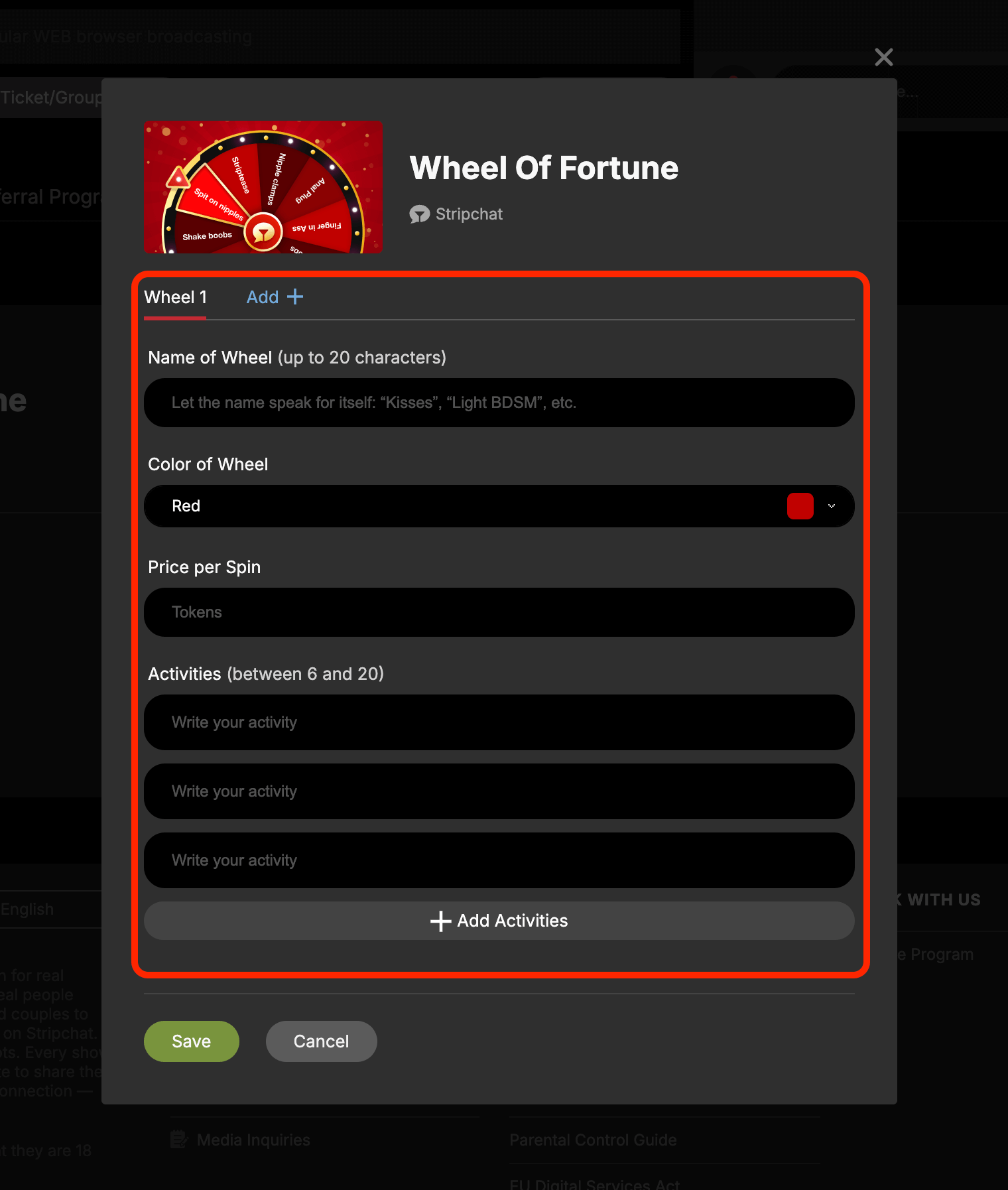
The settings form is rendered from the settings.html file declared in views.settings in your manifest. The platform displays this page inside a modal when the model opens extension settings from the extension card.
How It Works
- The model opens your extension settings from the extension card.
- The platform loads
settings.htmlinside a modal. The Save and Cancel buttons are rendered by Stripchat outside of your iframe — do not add your own save/cancel buttons insettings.html. - Your code calls
v1.model.ext.settings.getto load previously saved settings and populate the form. - The model fills in the form and clicks Save.
- The platform emits a
v1.model.ext.settings.set.requestedevent to your settings iframe. - Your code validates the form and calls
v1.model.ext.settings.setwith the settings object and anisErrorflag. - If
isErrorisfalse, the platform saves the settings and closes the modal. Iftrue, the modal stays open so the model can fix validation errors.
settings— any JSON-serializable value. The shape is entirely up to you.isError— set totrueif validation failed. The platform keeps the modal open so the model can fix the errors.
Manifest Setup
Add views.settings to your manifest pointing to the settings HTML file:
json
{
  "version": "v2.0",
  "views": {
    "settings": "settings.html",
    "slots": ["EXTENSION_SLOT_MAIN_GAME_FUN", "EXTENSION_SLOT_RIGHT_OVERLAY", "EXTENSION_SLOT_BACKGROUND"],
    "pages": {
      "menu": "menu.html",
      "overlay": "overlay.html",
      "background": "background.html"
    },
    "resolveSlotPageScript": "resolveSlotPage.js"
  }
}
Reading Settings at Runtime
Any slot can read the current extension settings at runtime with v1.ext.settings.get. Settings are also passed as the third argument to the resolver script, so you can use them to conditionally enable or disable slots.
Implementation
For the full form implementation — loading, validating, saving, reading settings at runtime, and a complete React example — see the Settings recipes in the cookbook.
TIP
Keep validation in your settings iframe. The platform only knows whether saving succeeded or failed via the isError flag — it does not validate the settings object itself. If the form has not finished loading yet, return isError: true so the modal stays open.